The Solar Panel Troubleshooting: Common Issues and Fixes
Solar energy systems deliver reliable, clean power when they perform as designed. Yet even well-installed arrays can experience drops in production or communication glitches. Understanding the most frequent problems and knowing the correct response keeps your system efficient and protects your long-term investment. This guide walks through the primary issues homeowners encounter—low output, inverter errors, and monitoring offline—and provides clear, practical troubleshooting steps. The goal is straightforward: restore performance safely and know exactly when professional help is required.
Solve Low Output & Inverter Errors – Call Today
Most solar systems operate with minimal intervention for years. When production dips or alerts appear, the cause is usually simple and correctable. Acting promptly prevents small issues from becoming larger performance losses. The steps below follow a logical sequence that prioritizes safety and accuracy.
Understanding Low Output: The Most Common Performance Drop
Low output is the issue reported most often. Production falls below expected levels even though the system appears intact. Two primary culprits dominate: shading and dirty panels.
Shading Problems
Partial or intermittent shade dramatically reduces energy harvest. Trees that have grown since installation, new neighboring structures, chimneys, or even temporary objects such as ladders or debris can cast shadows across modules. Because panels are wired in strings, shade on a single module can lower the output of the entire string.
Check for shade during peak sun hours—typically mid-morning to mid-afternoon. Walk the roof or use a ground-level observation point. Note any new growth or construction. Seasonal changes matter: a tree that is harmless in winter may cast long shadows in summer.
Dirty Panels
Dust, pollen, bird droppings, leaves, and pollution form a film that blocks sunlight. In dry climates the buildup accumulates quickly; in rainy regions it may appear less obvious yet still reduce efficiency. Even a light layer can cut production by several percent. Heavier soiling—especially after long dry spells—can create more significant losses.
Safety note: Never climb onto a roof without proper fall protection and training. Cleaning from the ground with a soft brush on an extension pole is preferable for single-story homes. For steeper roofs or multi-story buildings, professional cleaning is the safer choice.
Troubleshooting Low Output
- Observe the array during bright, clear conditions and record the time of day.
- Compare current production figures on your monitoring app or inverter display against historical data from similar weather days.
- Inspect for visible shade sources and remove or trim them if accessible and permitted.
- Clean panels with deionized or distilled water and a soft, non-abrasive brush or specialized solar cleaning tool. Avoid harsh chemicals or high-pressure washers that can damage coatings or seals.
- After cleaning or shade removal, monitor production for several days to confirm recovery.
If output remains low after these steps, the cause may lie deeper—module degradation, wiring issues, or inverter limitations. At that point a qualified technician should perform a full diagnostic.
Inverter Errors: When the Heart of the System Signals Trouble
The inverter converts DC electricity from the panels into usable AC power for your home and the grid. When it displays error codes or shuts down, production stops or becomes severely limited. Modern inverters provide specific fault codes that help narrow the problem.
Common triggers include grid voltage fluctuations, overheating, ground faults, or internal component stress. Some errors are temporary and clear after a power cycle; others indicate persistent conditions that require investigation.
Key Signs of Inverter Problems
- Error codes or warning lights on the inverter display
- Sudden drop to zero production despite sunny conditions
- Unusual humming, clicking, or no audible operation
- Repeated shutdown and restart cycles
Troubleshooting Inverter Errors
Begin with the simplest and safest actions:
- Record the exact error code and any accompanying messages. Photograph the display if possible.
- Check that the inverter is receiving power and that all DC and AC disconnect switches are in the correct position.
- Perform a controlled reset: turn off the AC breaker feeding the inverter, then the DC disconnect, wait five to ten minutes, and restore power in reverse order (DC first, then AC). Many temporary faults clear with this procedure.
- Verify that the area around the inverter has adequate airflow. Clear leaves, debris, or stored items that may restrict ventilation. Overheating is a frequent cause of protective shutdowns.
- Confirm that grid voltage is within the inverter’s operating range. Extreme high or low voltage from the utility can force the unit offline.
If the same error returns after a reset, or if the inverter will not power on at all, further diagnosis is required. Internal faults, failed capacitors, or communication board issues are not homeowner-serviceable. Continuing to force resets can stress components. Contact a certified solar technician promptly.
Important safety reminder: Inverters contain high-voltage DC and AC circuits. Do not open the enclosure or attempt internal repairs. Leave all electrical work to licensed professionals.
Monitoring Offline: Losing Visibility into System Health
A functioning monitoring system provides daily production data, historical trends, and alert notifications. When the monitoring portal shows the system as offline, you lose that visibility even if the panels and inverter continue producing power.
Causes range from simple Wi-Fi interruptions to hardware failures in the monitoring gateway or cellular modem. Power outages at the home, router reboots, or changes in network credentials frequently interrupt communication.
Troubleshooting Monitoring Offline
- Confirm that the inverter itself is producing power by checking its local display or status lights. Production may still be occurring even if remote monitoring is down.
- Restart your home router and modem. Allow several minutes for the network to stabilize.
- Verify that the monitoring gateway or data logger has power and that its status lights indicate normal operation.
- Check for recent changes to Wi-Fi passwords or network names. Update credentials in the monitoring app if required.
- Move closer to the gateway with a smartphone and attempt to reconnect through the manufacturer’s app. Some systems allow temporary Bluetooth or direct Wi-Fi pairing for troubleshooting.
- Inspect Ethernet cables or antenna connections if the system uses hardwired or cellular communication.
If the monitoring device remains offline after these steps, the hardware itself may need replacement or reconfiguration. Most manufacturers offer remote support once the unit is accessible again. A service technician can often restore communication quickly and ensure data history is preserved.
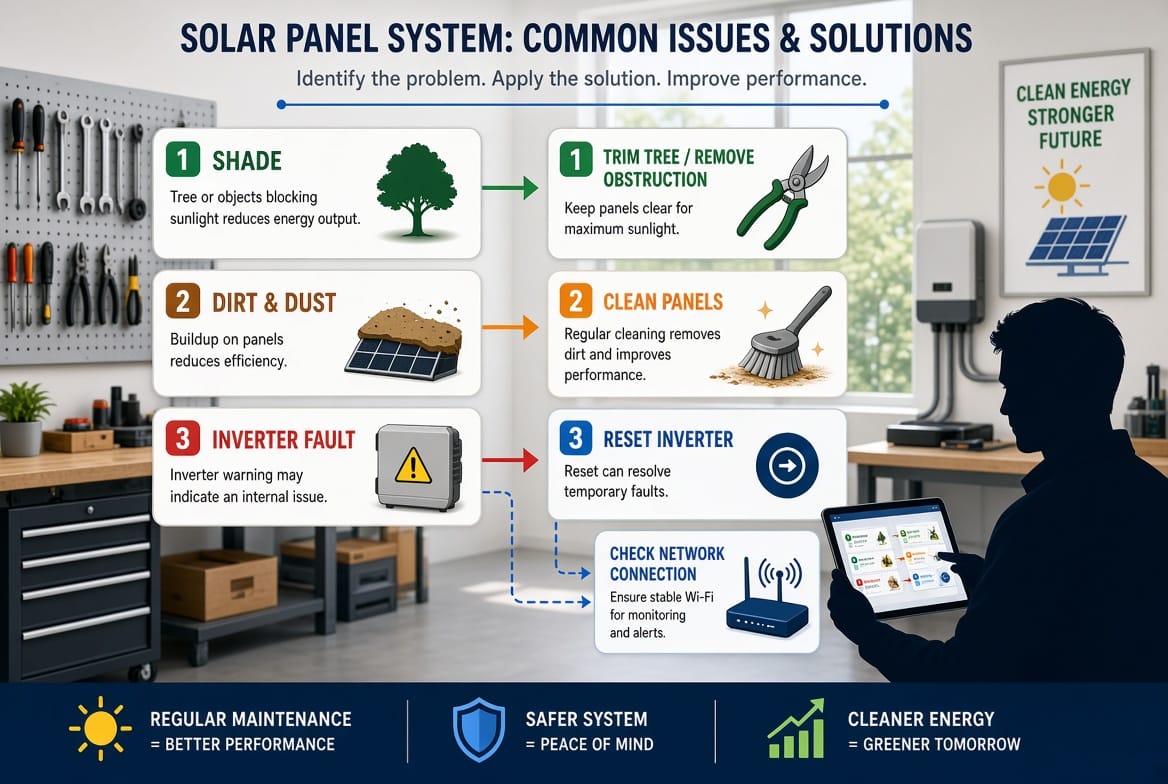
Systematic Troubleshooting Sequence for Reliable Results
When multiple symptoms appear together, follow a consistent order to isolate the root cause efficiently:
- Verify environmental conditions first. Confirm the day is sunny and free of unusual weather. Compare production against neighboring systems or historical averages if available.
- Inspect the array visually. Look for shade, soiling, damaged modules, loose racking, or animal activity.
- Check the inverter status. Note any codes, lights, or silence. Perform a safe power-cycle reset if appropriate.
- Confirm monitoring connectivity. Restore network access so you can view detailed data and historical trends.
- Document everything. Record dates, times, weather, error codes, and actions taken. This information accelerates professional diagnosis if needed.
- Escalate when necessary. Persistent low output after cleaning and shade removal, recurring inverter errors, or hardware failures require certified service.
Most residential systems respond well to the basic steps outlined above. The combination of observation, cleaning, resetting, and network checks resolves the majority of everyday issues without specialized tools.
When to Call a Professional
Certain situations move beyond homeowner troubleshooting:
- Persistent error codes that return after multiple resets
- Visible damage to panels, wiring, or the inverter enclosure
- Burning smells, unusual noises, or signs of arcing
- Significant production loss that cleaning and shade correction do not resolve
- Monitoring hardware that will not reconnect despite network confirmation
- Any work that requires roof access beyond simple observation or that involves opening electrical enclosures
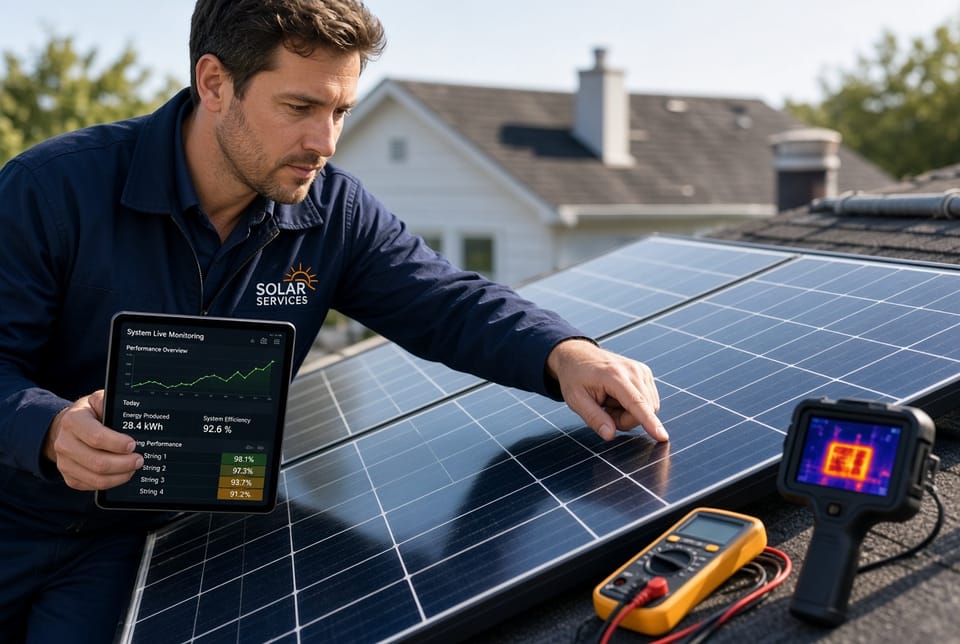
A qualified solar technician brings diagnostic equipment, thermal imaging, IV-curve tracing, and the authority to service warrantied components. Regular professional maintenance also extends system life and maintains peak efficiency. Many issues that appear complex are identified and corrected in a single visit once accurate data is available.
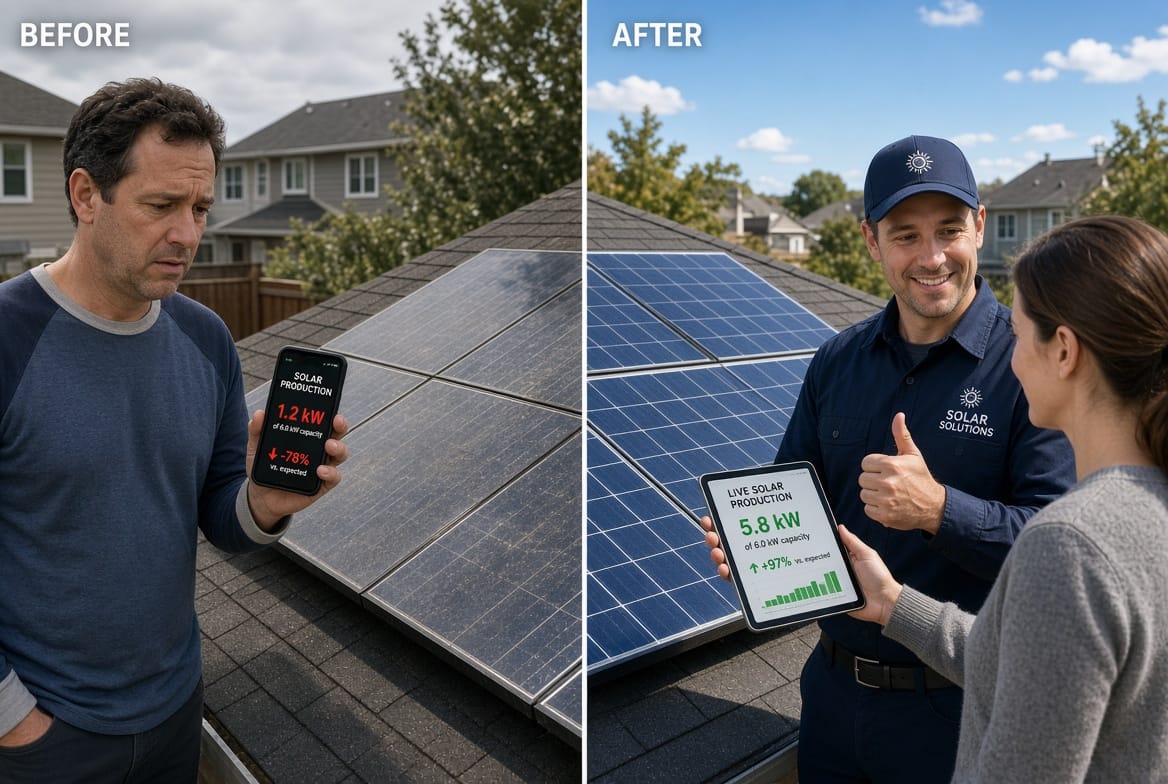
Maintaining Long-Term System Health
Preventive habits reduce the frequency of troubleshooting:
- Schedule visual inspections twice a year, ideally in spring and fall.
- Clean panels when production data shows a gradual decline unrelated to weather.
- Keep trees trimmed and note any new construction that could create shade.
- Ensure the inverter location remains clear of debris and has good airflow.
- Keep monitoring credentials current and check the portal periodically even when no alerts appear.
- Maintain records of production, service visits, and any component replacements.
These simple practices keep most systems operating near design capacity for decades. Solar technology is robust; the majority of performance issues stem from external factors rather than inherent failure.
Final Thoughts on Effective Solar Troubleshooting
Solar panel systems reward attentive owners with consistent energy production and lower utility costs. Low output from shading or dirt, inverter errors, and monitoring offline conditions account for the bulk of service calls. Each has a clear diagnostic path that begins with observation and basic corrective actions. Safety always comes first—never risk personal injury or equipment damage by attempting tasks beyond your training and tools.
When the straightforward steps restore performance, you regain both energy and peace of mind. When they do not, professional support is the reliable next move. Prompt attention protects your investment and ensures the system continues delivering clean power as intended.
Troubleshoot your solar system effectively. For expert diagnosis, cleaning, inverter service, or monitoring restoration. Clear answers and professional solutions are only a phone call away.
Troubleshoot Your Solar System – Call Experts Now