The Security System History Log: Reviewing Events for Suspicious Activity

In today’s world of advanced home security systems, one of the most underappreciated yet powerful tools available to homeowners is the security system history log. This built-in feature acts as a detailed digital record of every significant action and condition your system experiences. Far more than a simple list of past events, the history log serves as your personal security journal—helping you detect patterns, spot irregularities, and maintain complete awareness of what happens in and around your home even when you are not present.
Master Your Event Log Features – Call Experts Today
Regularly reviewing this log transforms a standard alarm system into a proactive monitoring solution. It empowers you to identify potential risks early, confirm that everything is functioning as intended, and gain peace of mind knowing your protection is working around the clock. Whether you manage a single-family residence or a larger property, understanding and using the history log is a straightforward habit that significantly strengthens overall home security.
What the History Log Actually Records
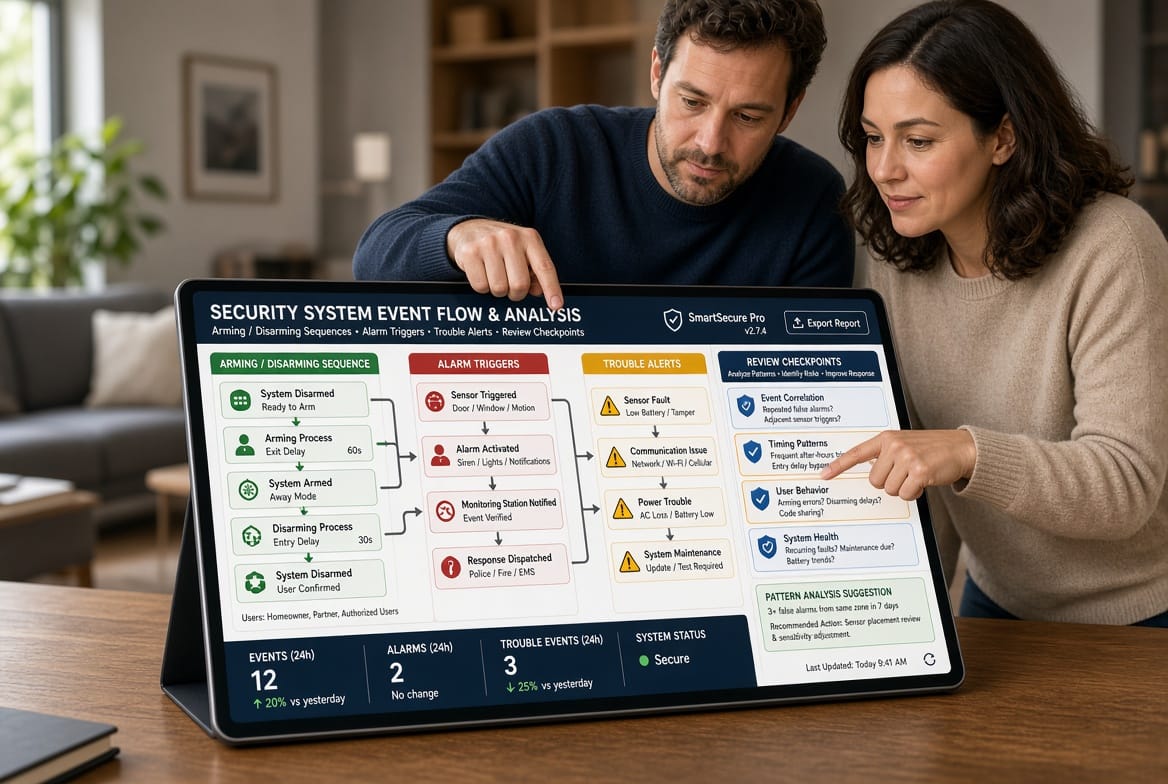
The history log captures a comprehensive sequence of system events with precise timestamps, event descriptions, and status indicators. These entries typically fall into several clear categories that together paint a complete picture of system activity.
- Arming and disarming events: Every time the system is placed into armed mode (away, stay, or night) or returned to disarmed status, the log records the exact time, the method used (keypad, remote, or mobile app), and often the user code or device responsible.
- Alarm activations: Any triggered alarm—whether from a door/window sensor, motion detector, glass-break sensor, or panic button—appears with the specific zone or device involved and the duration of the alert.
- Trouble conditions: These include low battery warnings, AC power failures, communication issues with the monitoring center, sensor tamper alerts, or supervisory failures that signal a device needs attention.
- Additional system actions: Many modern logs also note sensor bypasses, test modes, user code changes, and successful communication checks.
By preserving this chronological record, the history log allows you to reconstruct exactly what occurred during any given period. This level of detail is invaluable for distinguishing normal household routines from anything that warrants closer inspection.
How to Access Your System’s History Log
Accessing the history log is designed to be simple and convenient, whether you prefer traditional hardware or modern digital tools.
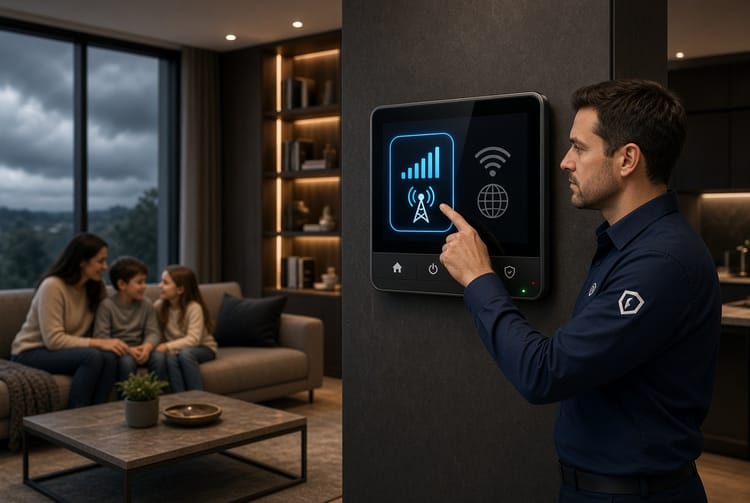
Most security control panels feature a dedicated menu option labeled “Event Log,” “History,” or “System Events.” Using the panel keypad or touchscreen, navigate to the system menu, select the history or log function, and scroll through the listed entries. Newer panels often display the information in an easy-to-read chronological format with color-coded icons for quick visual scanning.
For even greater flexibility, the majority of contemporary home security systems offer companion mobile apps. After logging into the secure app on your smartphone or tablet, locate the “Events,” “Activity Log,” or “History” section. From there you can view the full list, apply filters by date range or event type, and sometimes export or share selected entries. Cloud-connected systems typically retain logs for 30 to 90 days or longer, giving you ample opportunity to review past activity at your convenience.
Whether you check the panel while at home or open the app from anywhere, consistent access ensures you stay informed without complicated procedures.
What to Look for When Reviewing the Log
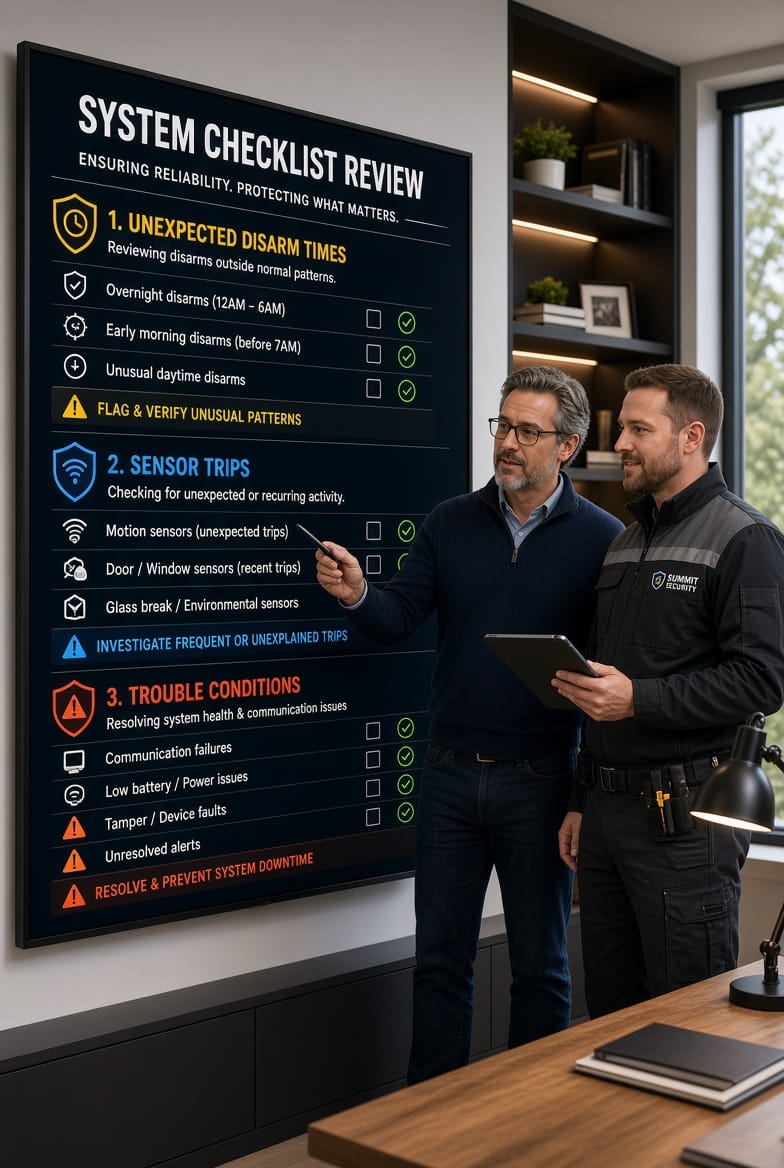
The true value of the history log emerges when you know which entries deserve extra attention. Focus on three primary areas that commonly indicate something unusual.
First, examine unexpected disarm times. Familiarize yourself with the normal times your household typically arms and disarms the system. An entry showing the system disarmed at 3:15 a.m. on a weekday, for example, or during a period when the home should have been secure, immediately raises a question. Cross-reference these times against your family’s known schedules or guest visits. Consistent unexpected disarms can signal unauthorized access attempts or a compromised user code that needs immediate updating.
Second, pay close attention to sensor trips. Legitimate trips occur when family members enter or exit through monitored doors and windows or when pets move through motion zones. However, repeated trips from the same sensor during unusual hours, trips with no corresponding disarm entry, or a sudden increase in false activations from a particular zone may point to a malfunctioning device, an environmental issue, or—more seriously—someone testing the system’s response. Documenting these patterns helps technicians diagnose problems quickly and keeps your protection reliable.
Third, never ignore trouble conditions. A single low-battery notice is usually straightforward to resolve, but recurring power-loss events, communication failures, or multiple sensors reporting trouble simultaneously can indicate broader issues such as wiring problems, interference, or external attempts to disrupt the system. Addressing these promptly prevents gaps in coverage and ensures continuous monitoring.
When reviewing, look for clusters of events rather than isolated entries. A disarm followed immediately by several sensor trips and then a re-arm, for instance, might simply reflect a family member arriving home. The same sequence occurring outside normal hours deserves investigation. Over time, regular review builds an intuitive understanding of your system’s typical behavior, making anomalies stand out clearly.
Practical Tips for Effective Log Reviews
Establishing a simple routine maximizes the benefit of this feature. Many homeowners find that a weekly five-to-ten-minute review is sufficient. Choose a consistent day—Sunday evening, for example—and open either the panel or the app. Scroll through the previous seven days, noting anything outside the expected pattern. If your system allows filtering, start with alarm and trouble events before expanding to the full log.
Keep a brief personal note of any unusual entries along with possible explanations (house guests, maintenance visits, or weather-related sensor activity). This personal context makes future reviews faster and more accurate. If you notice a recurring issue, contact your security provider promptly so technicians can inspect or reconfigure the affected components.
For households with multiple users, periodically verify that each authorized code or app login is still appropriate. The history log often identifies which code or device performed each arming or disarming action, making it easy to spot and remove outdated access privileges.
Parents of teenagers or frequent visitors especially appreciate this visibility. The log provides an objective record that supports household rules about when the system should remain armed, reducing misunderstandings while reinforcing security habits.
Integrating the History Log into Broader Home Security Practices
The history log works best as part of a layered approach. Pair regular reviews with routine testing of sensors, timely battery replacements, and keeping contact information current with your monitoring center. When an actual alarm occurs, the detailed log becomes an essential resource for both you and professional responders, offering precise timelines that speed investigation and resolution.
In the rare event of a real security concern, having a well-maintained history log demonstrates diligence and can support insurance claims or law-enforcement inquiries with clear, time-stamped evidence. Most importantly, the simple act of checking the log reinforces a mindset of active protection rather than passive reliance on technology alone.
Why Consistent Review Builds Long-Term Confidence
Homeowners who make the history log part of their regular security routine report a noticeable increase in confidence. Knowing exactly when and how the system has performed removes uncertainty and replaces it with clear, actionable information. Small irregularities are caught early, before they escalate into larger problems. Devices stay properly maintained, user codes remain secure, and the overall system continues to operate at peak effectiveness.
This habit also educates every household member about the importance of following established arming procedures. When family members understand that the system records every action, they naturally become more attentive to proper use, further reducing accidental triggers and false alarms.
In an era when smart-home technology continues to evolve, the history log remains a foundational feature that requires no advanced technical knowledge—only a few minutes of focused attention on a regular basis. Its simplicity is precisely what makes it so effective.
Conclusion
The security system history log stands out as one of the most practical and empowering features available in modern home security systems. By recording arming and disarming actions, alarm events, and trouble conditions in clear chronological detail, it gives you the visibility needed to detect unexpected activity and keep your protection reliable. Accessing the log through the control panel or mobile app is straightforward, and knowing what to examine—unexpected disarm times, unusual sensor trips, and trouble conditions—turns raw data into meaningful insight.
Make reviewing your security log a consistent habit. A brief weekly check is often all that is required to stay informed and proactive. If you have questions about your system’s history log capabilities or would like guidance on maximizing this feature. Professional support is ready to help you understand every aspect of your protection and ensure your home remains secure with confidence.
Call Today for Professional History Log Guidance