The Security System Camera Storage: Cloud vs. Local vs. Hybrid
Choosing the right video storage method for your security system cameras is one of the most important decisions you will make to protect your home and loved ones. Modern cameras capture critical footage every day, yet that footage is only useful if it remains safe, accessible, and intact when you need it most. Three primary options dominate the market today: cloud storage, local storage, and hybrid storage. Each approach offers distinct advantages and carries specific risks that every homeowner should understand before committing.
Get Expert Cloud vs Local Storage Advice – Call Now!
This comprehensive guide explains how each storage type works, outlines the clear pros and cons, and helps you match the solution to your lifestyle, budget, and security goals. By the end, you will feel confident selecting the method that delivers peace of mind without unnecessary complexity or expense.
Understanding Video Storage for Security Cameras
Every security camera records continuous or motion-triggered video. That data must travel somewhere for safekeeping. The destination—whether remote servers, a device inside your home, or a combination of both—determines how easily you can review clips, how long recordings last, and how protected the files remain against theft, power loss, or equipment failure.
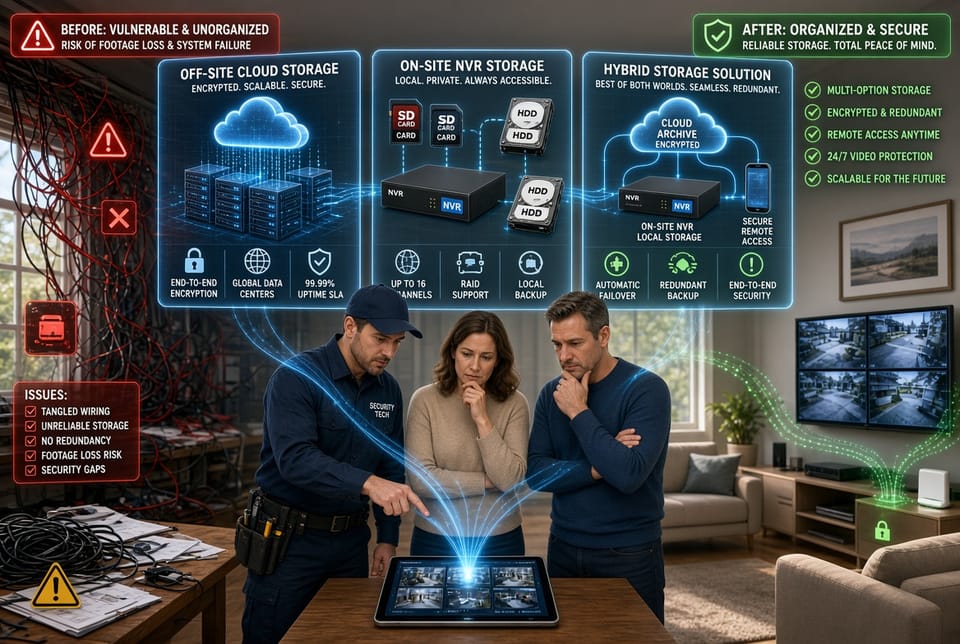
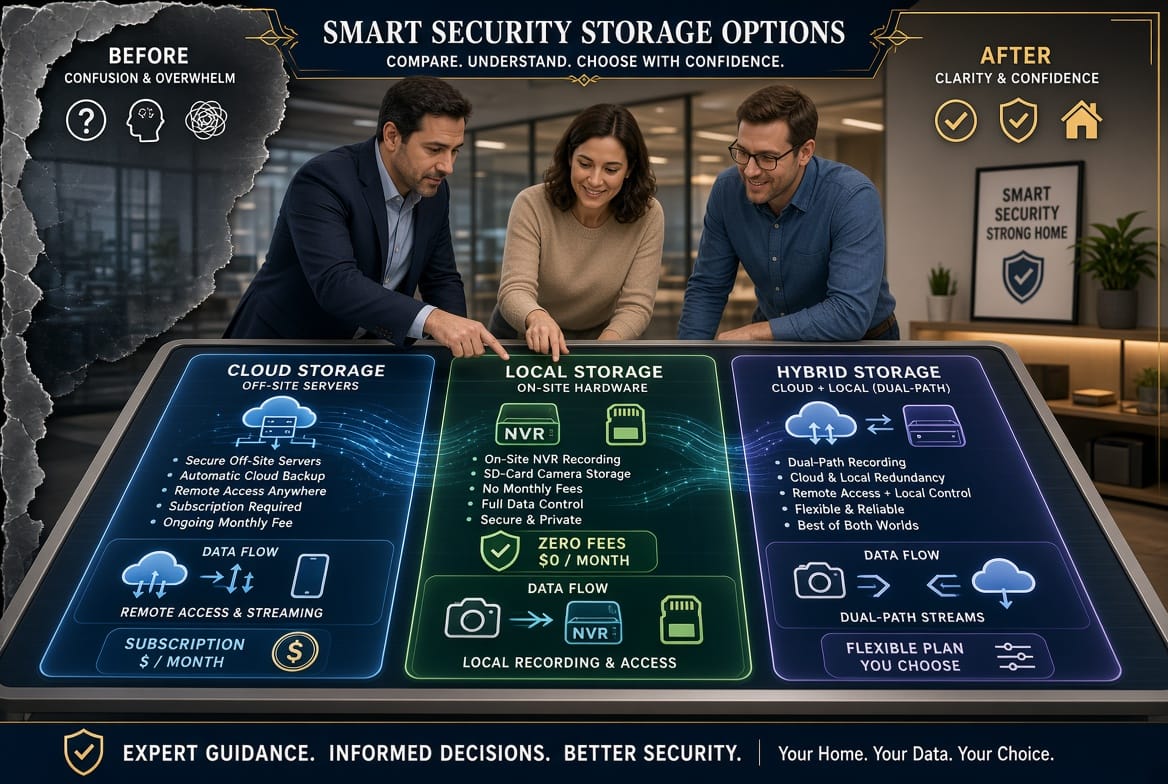
Cloud storage keeps footage on remote servers managed by a service provider. Local storage keeps everything on hardware you own and control on your property. Hybrid storage blends the two approaches for greater flexibility. Understanding these fundamentals removes uncertainty and positions you to make an informed choice that truly safeguards your property.
Cloud Storage: Off-Site Convenience with Subscription Support
Cloud storage sends video from your cameras over the internet to secure remote servers. Once uploaded, the footage lives off-site and becomes available through a smartphone app or web portal from virtually any location with an internet connection. Most providers require a monthly or annual subscription that covers storage capacity, encryption, and remote access features.
This model appeals to homeowners who value simplicity and the ability to check cameras while traveling. Because the data never remains solely on a device inside the house, physical theft of equipment does not erase historical recordings. Providers typically maintain multiple data centers, adding layers of redundancy that protect against single-point failures.
Pros of Cloud Storage
- Remote accessibility allows viewing and downloading clips from anywhere
- Automatic backups reduce the chance of permanent data loss
- No need to manage hardware upgrades or hard-drive replacements
- Built-in encryption and professional monitoring of server security
- Easy sharing of specific clips with family or authorities when needed
Cons of Cloud Storage
- Ongoing subscription fees that accumulate over years
- Dependence on a stable internet connection for both uploading and viewing
- Potential privacy concerns if the service provider experiences a breach
- Limited retention periods unless higher-tier plans are selected
- Upload speeds can lag during heavy motion events or poor bandwidth
Despite the recurring cost, many users find the convenience and off-site protection outweigh the expense, especially for primary residences or vacation properties that sit empty for long periods.
Local Storage: On-Site Control Without Monthly Fees
Local storage keeps every frame of video on equipment located inside or near your home. Common methods include micro-SD cards inserted directly into the camera, network video recorders (NVR), or digital video recorders connected to multiple cameras. Once the footage is written to the drive or card, it stays under your physical control. No monthly fees apply beyond the initial hardware purchase.
This approach gives complete ownership of the data. You decide exactly how long to retain recordings by choosing larger hard drives or higher-capacity cards. Because the system does not rely on the internet for basic recording, cameras continue saving footage even during outages. For privacy-conscious households, the absence of third-party servers provides an added layer of reassurance.
Pros of Local Storage
- No recurring fees after the one-time hardware investment
- Full control over retention length and data deletion
- Recording continues during internet disruptions
- Higher resolution and longer continuous recording without bandwidth limits
- Reduced exposure to external cyber threats targeting cloud accounts
Cons of Local Storage
- Physical theft or damage to the NVR or SD card can destroy all evidence
- Limited remote access unless additional networking is configured
- Hard drives eventually fail and require replacement
- Manual management of storage space and overwriting schedules
- Vulnerability to power surges or environmental hazards inside the home
Homeowners who prefer one-time costs and absolute data ownership often select local storage, provided they implement secondary safeguards such as secure mounting locations and regular drive health checks.
Hybrid Storage: The Best of Both Worlds
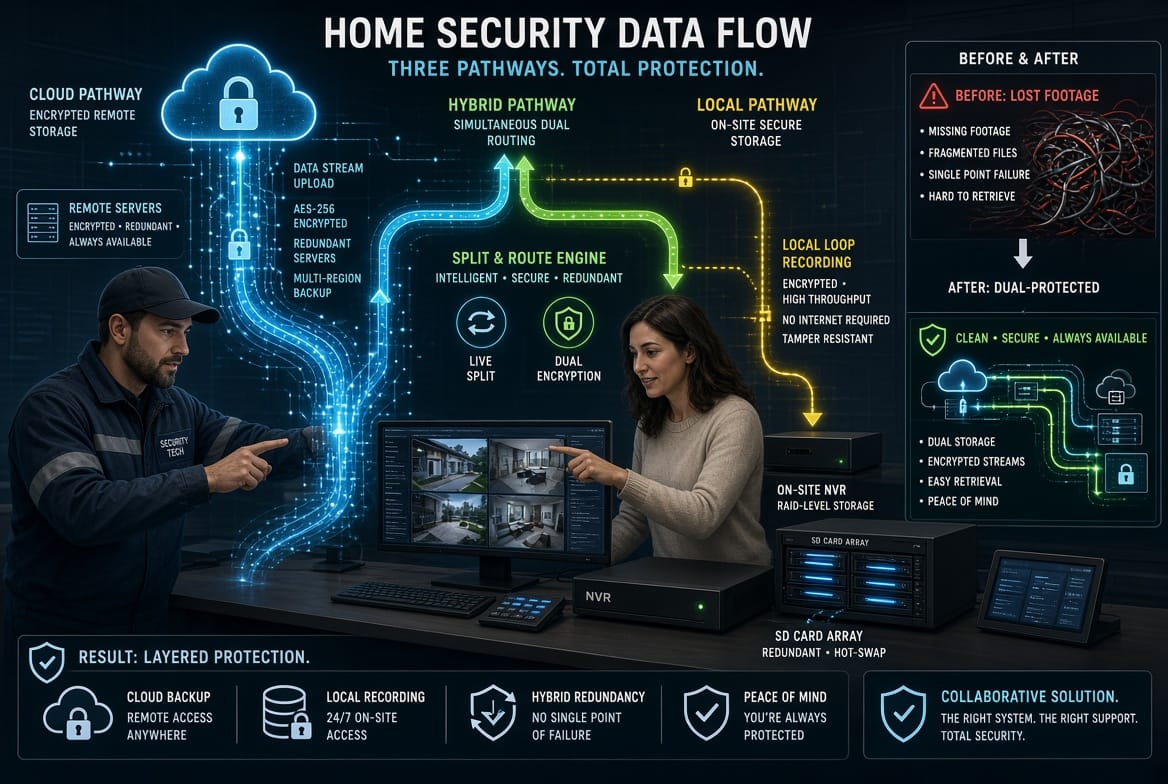
Hybrid storage combines the strengths of cloud and local methods into a single coordinated system. Cameras typically record continuously to an on-site NVR or SD card while simultaneously uploading selected clips—or continuous streams—to the cloud. Users gain immediate local access for everyday review and retain off-site copies for disaster recovery or remote viewing.
This dual approach minimizes single points of failure. If the internet drops, local recording continues uninterrupted. If the physical recorder is stolen or damaged, the cloud copies remain available. Many hybrid systems allow custom rules: store everything locally for thirty days while sending only motion events to the cloud for longer-term retention. The result is balanced cost control and elevated resilience.
Pros of Hybrid Storage
- Redundancy protects against both local hardware failure and internet outages
- Flexible retention policies that optimize storage costs
- Seamless remote access without sacrificing on-site ownership
- Ability to scale cloud usage only for critical events
- Stronger overall risk mitigation through dual locations
Cons of Hybrid Storage
- Higher initial setup complexity compared with single-method systems
- Still requires some level of subscription for the cloud portion
- Potential bandwidth consumption when both local and cloud recording run simultaneously
- Need to monitor two storage environments for capacity and health
- Slightly steeper learning curve for configuration and alerts
For most modern households, hybrid storage delivers the optimal balance of convenience, control, and protection. It adapts to changing needs without forcing an all-or-nothing decision.
Key Factors When Selecting Your Storage Solution
Several practical considerations guide the final choice. First, evaluate internet reliability and upload speed. Homes with inconsistent broadband lean toward local or hybrid options that prioritize on-site recording. Second, calculate long-term costs. A modest monthly cloud fee may exceed the price of a quality NVR within two or three years. Third, assess privacy priorities. Families who prefer zero third-party access naturally favor pure local storage. Fourth, consider the value of remote viewing. Frequent travelers benefit greatly from cloud or hybrid accessibility.
Additional points include the number of cameras, desired retention length, and whether law-enforcement sharing is anticipated. Larger properties with multiple entry points often need higher storage capacity, making local hard drives or hybrid plans more practical. Always verify that the chosen system supports the resolution and frame rate of your cameras so that image quality remains consistent across storage types.
Practical Scenarios and Real-World Application
Imagine a suburban family that travels frequently. Cloud or hybrid storage lets them monitor the house from the airport or hotel, receive instant alerts, and retrieve footage if an incident occurs while they are away. In contrast, a rural property with limited internet may rely primarily on local storage, using the hybrid option only for occasional critical clips uploaded during stronger signal windows.
Another common situation involves multi-generational households. Elderly residents appreciate the simplicity of cloud access through a single app, while adult children managing the system value the local backup that hybrid provides. Businesses operating from home offices frequently adopt hybrid setups to meet insurance requirements for both on-site and off-site records.
In every case, the goal remains identical: ensure that video evidence exists when needed, remains protected against foreseeable threats, and stays accessible without excessive cost or effort.
Avoiding Common Pitfalls and Maximizing Protection
Regardless of the storage type selected, certain best practices elevate reliability. Keep firmware updated on cameras and recorders. Use strong, unique passwords and enable two-factor authentication wherever available. For local systems, place the NVR in a locked, climate-controlled area away from easy access. For cloud systems, review the provider’s encryption standards and data-retention policies. Hybrid users should periodically test both pathways to confirm seamless failover.
Regularly export important clips to a secondary drive or external medium as an extra safety net. Schedule monthly reviews of storage health—checking free space, drive temperatures, and successful upload logs. These simple habits transform a good system into an outstanding one and further reduce residual risks.
Conclusion: Choose the Right Video Storage for Lasting Peace of Mind
The decision between cloud storage, local storage, and hybrid storage ultimately rests on your unique combination of budget, internet quality, privacy preferences, and lifestyle demands. Cloud delivers unmatched remote convenience at the price of ongoing fees. Local offers complete ownership and zero subscriptions yet requires careful physical protection. Hybrid unites both strengths, creating resilient coverage that adapts to nearly any situation.
No single option is universally superior; the best choice is the one that aligns with how you live and what you value most. When footage of a package delivery, a family moment, or an unexpected event is preserved exactly as needed, the investment in proper storage proves its worth many times over.
Take the next step with confidence. Speak with knowledgeable professionals who can assess your specific cameras, property layout, and goals. Reliable video protection is within reach—choose wisely and enjoy the lasting reassurance that comes from knowing every important moment is securely stored.
Protect Your Videos with the Right System – Call Today!