The Security System App: Features You Should Look For
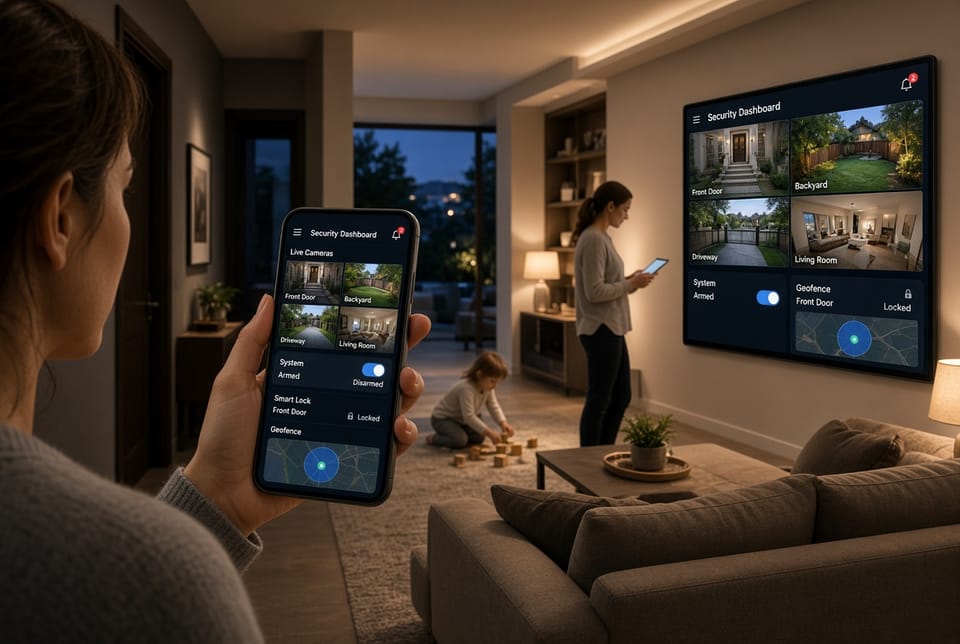
A modern home security system is only as strong as the app that controls it. The right security system app turns cameras, sensors, and smart devices into a coordinated shield you can manage from anywhere. Choosing poorly can leave gaps in awareness, delayed responses, and unnecessary stress. This guide explains a core capability every strong app should deliver and then walks through the features that matter most: push notifications, live camera viewing, remote arm/disarm, smart home control, and geofencing.
Get Live Camera, Alerts, and Remote Arming – Call Today
Why the App Matters as Much as the Hardware
Hardware detects. The app decides how quickly you learn about a problem and how easily you can act. A well-designed security system app should feel like a trusted command center, not a confusing extra login. Look for clarity, speed, and reliability. When an alert arrives at 2 a.m., you should understand the situation in seconds and take action without hunting through menus.
An authoritative app does more than display pretty tiles. It reduces risk by giving you timely information, remote control, and integration with the rest of your home. Families who use these tools well often report greater peace of mind because they can check in, adjust settings, and confirm that everyone is safe without leaving work or interrupting dinner.
A Key Feature Explained: Instant Situational Awareness
The standout capability of a high-quality security system app is instant situational awareness. That means the moment something changes—a door opens, a camera detects motion, a sensor trips—you receive context, not just a vague buzz.
Situational awareness combines several moving parts:
- A clear push notification that names the zone and event
- One-tap access to live camera viewing
- The ability to remote arm/disarm if the event was expected
- Optional links to smart home control so lights or locks can respond
- Location logic through geofencing so the system knows whether you are home
When these pieces work together, you are not guessing. You see who is at the door, whether the garage was left open, or if a package arrived. That combination is what separates a basic remote control from a true home security command tool.
What to Look For in a Security System App
Use the following criteria when you compare apps. Each section highlights what “good” looks like and what to avoid.
Push Notifications That Are Fast, Clear, and Actionable
Push notifications are your first line of awareness. They should arrive within seconds of an event and tell you exactly what happened.
Look for:
- Customizable alerts by device, room, and time of day
- Rich notifications that include a snapshot or short clip
- Priority levels so a front-door event feels different from a low-battery warning
- Quiet hours or “do not disturb” options that still allow critical alarms
- Reliable delivery even when the phone is in low-power mode
Risks to watch: delayed alerts, generic messages such as “Motion detected,” and notification overload that trains you to ignore the app. A reassuring app lets you tune sensitivity so you stay informed without feeling harassed.
Live Camera Viewing You Can Trust
Live camera viewing turns an alert into understanding. You should be able to open a feed in one or two taps and see high-quality video without long buffering.
Strong apps typically offer:
- Multi-camera grid view and single-camera full screen
- Two-way audio so you can speak to a visitor or family member
- Digital zoom that remains usable
- Night-vision and HDR support shown clearly in the interface
- Recording playback that is easy to find next to the live view
A well-designed live view also respects bandwidth. It should adapt quality on cellular data and warn you if a camera is offline. The goal is confidence: you open the app, you see the room, and you know what is happening.
Remote Arm and Disarm Without Friction
Remote arm/disarm is essential for real life. Plans change. Someone comes home early. A contractor finishes ahead of schedule. You need to secure or unsecure the system from your phone without calling anyone.
Evaluate:
- Distinct Stay, Away, and Night modes
- Confirmation screens that prevent accidental disarming
- Status that is always visible on the home screen of the app
- Activity logs showing who armed or disarmed and when
- Optional PIN, biometric lock, or multi-user permissions
The risk here is convenience without control. Guest access should be limited. Disarming should never be a single accidental swipe. An authoritative app balances speed with safeguards.
Smart Home Control That Actually Helps Security
Smart home control is valuable when it supports protection rather than adding clutter. Lights, locks, thermostats, and garage doors can reinforce your security routine when they are tied to the same app.
Useful integrations include:
- Turning on entryway lights when a camera detects motion after dark
- Locking doors automatically when the system is armed
- Checking lock and garage status beside camera feeds
- Creating scenes such as “Leave Home” that arm the system and shut selected devices
- Clear device health indicators so a failed lock or offline bulb is obvious
Avoid apps that bury security behind a maze of unrelated smart-home gadgets. Security should remain the primary purpose. Smart features should reduce steps, not create new points of failure.
Geofencing That Works Quietly in the Background
Geofencing uses your phone’s location to trigger useful actions when you arrive or leave. Done well, it feels invisible. Done poorly, it arms the house while you are still in the driveway or fails to notice you left.
Look for:
- Adjustable radius around the home
- Multi-user geofences so the system waits until the last person leaves
- Optional automatic arming with a delay and a cancel prompt
- Battery-conscious location use
- Clear on/off controls and transparency about when location is used
Geofencing should never surprise you. The best implementations send a brief confirmation and give you time to override. That keeps automation helpful instead of stressful.
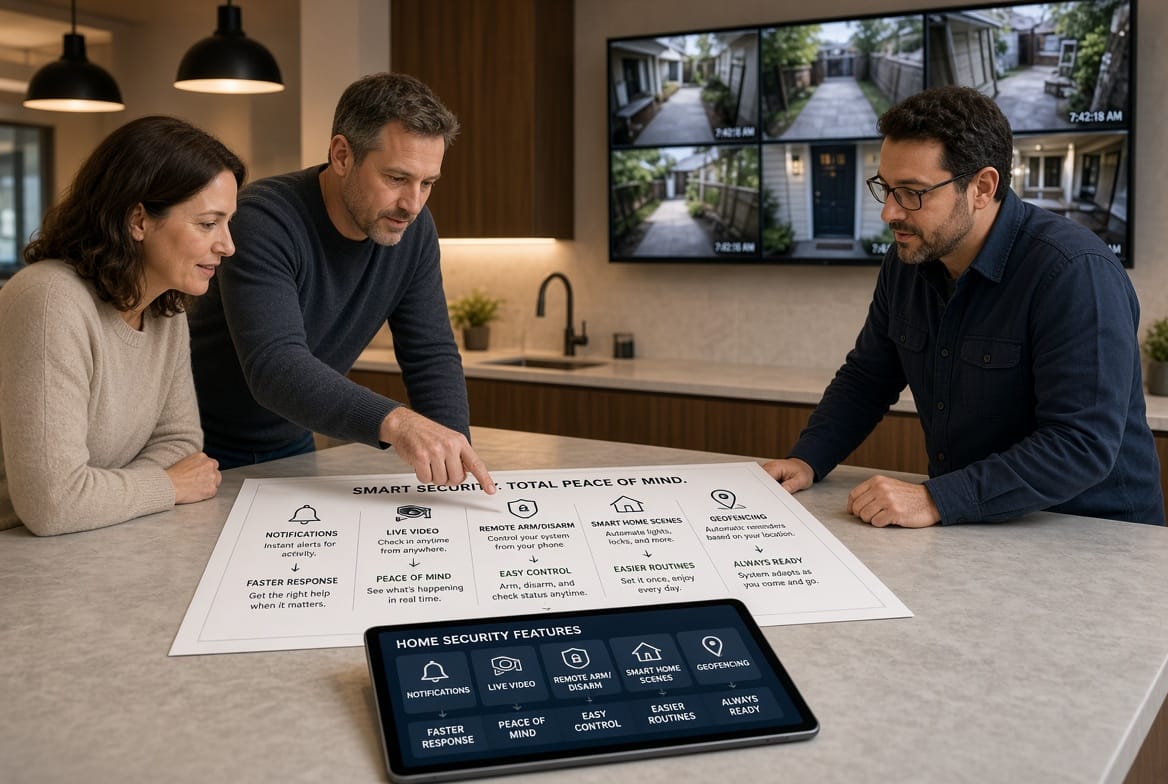
How These Features Work Together in Daily Life
A strong security system app is not five separate tools. It is one workflow.
Example evening routine:
- Geofencing notices the last adult has left and suggests Away mode.
- The system arms. Smart locks confirm closed.
- Later, a camera sees motion at the porch and sends a push notification with a snapshot.
- You open live camera viewing, recognize a delivery, and speak through two-way audio if needed.
- You leave the system armed. The event is saved in the timeline.
Example unexpected guest:
- A family member arrives early.
- They cannot remember the code.
- You receive the alert, view the camera, confirm identity, and use remote disarm plus a smart lock command.
These moments are why feature quality matters more than a long list of unused icons.
Practical Checklist Before You Commit
Use this list while you test a demo or trial:
- Can you understand an alert in under three seconds?
- Is live camera viewing stable on both Wi-Fi and cellular?
- Does remote arm/disarm require confirmation?
- Are user permissions granular enough for teens, guests, and caregivers?
- Do smart home control actions support security scenes?
- Can you adjust geofencing radius and delays?
- Is there an event history you can search by camera or sensor?
- Does the app remain responsive after several cameras are added?
- Are critical settings protected by biometrics or a PIN?
- Is customer support able to explain app behavior clearly?
If several answers are “not sure,” keep looking. A security app should feel obvious under pressure.
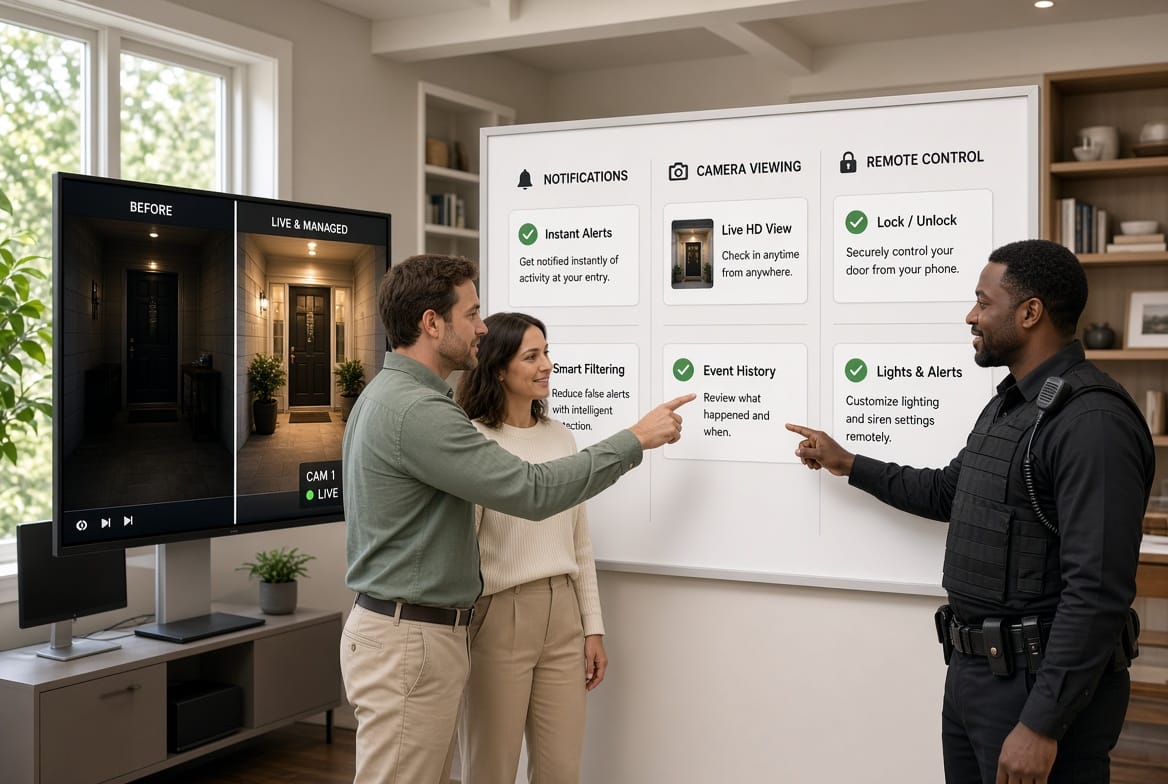
Common Pitfalls and How to Avoid Them
Even capable hardware can be weakened by a weak app experience.
Notification fatigue. If every passing car creates an alert, people disable notifications. Choose cameras and app settings that support zones, people detection, and schedules.
Slow live view. A camera that takes twenty seconds to open is not useful during an incident. Test this before you buy.
Too many users with full control. Give children or guests limited access. Full remote arm/disarm should be reserved for trusted adults.
Geofencing surprises. Start with notifications only. Add automatic arming after you trust the radius and delay.
Smart-home sprawl. Integrate devices that protect the home first: locks, lights near entries, garage controls. Entertainment gadgets can wait.
Avoiding these issues keeps the app reassuring instead of noisy.
Security, Privacy, and Account Hygiene
An authoritative security system app should also protect the account that protects your house.
Review:
- Two-factor authentication
- Encrypted video transmission and storage options
- Clear data-retention settings
- The ability to sign out devices remotely
- Transparent privacy controls for clip sharing
Treat the app like a set of house keys. Use a unique password, enable extra verification, and remove old phones from the account list. These habits reduce risk as much as any sensor.
Choosing an App That Matches Your Household
Different homes need different emphasis.
- Busy families often benefit most from reliable push notifications and simple remote arm/disarm.
- Households with frequent deliveries rely on live camera viewing and two-way talk.
- People who forget to set the alarm gain the most from carefully tuned geofencing.
- Homes already filled with connected devices should prioritize clean smart home control rather than a second overlapping app.
There is no single perfect interface for every lifestyle. There is a best fit for your routines. Test the app the way you actually live: leaving for work, coming home with groceries, checking on pets, and handling a late-night alert.
Final Guidance
Choose an app that meets your needs. Prioritize speed, clarity, and control. Confirm that push notifications, live camera viewing, remote arm/disarm, smart home control, and geofencing are not just listed on a box—they work together in a way you can trust.
If you want help matching features to your home. A short conversation can prevent months of frustration and help you select a security system app that keeps your household informed, in control, and confidently protected.
Get Fast Help Choosing a Reliable Home Security App – Call Now