The Home Inventory: Apps to Make Documentation Easy
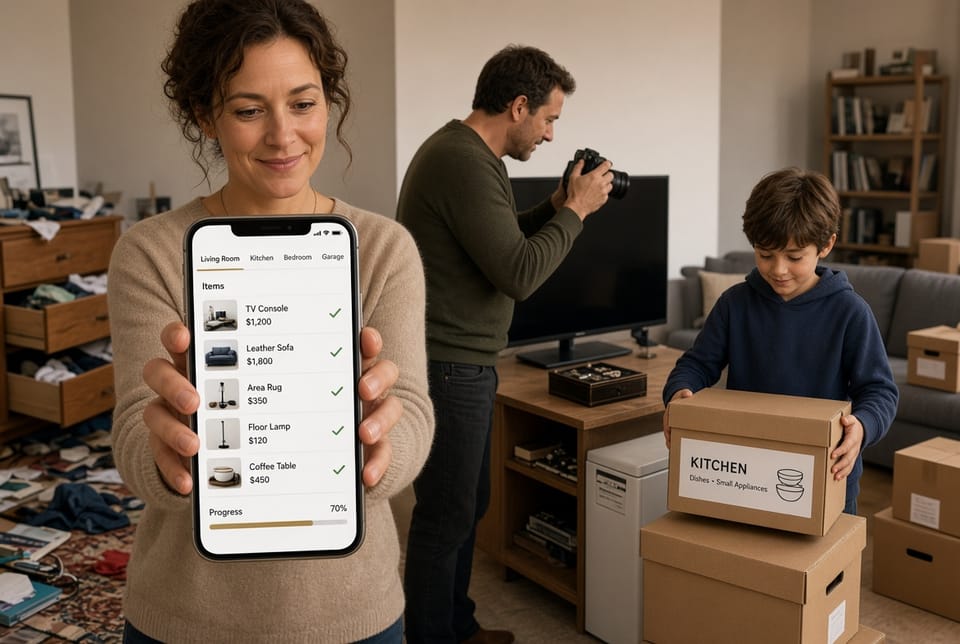
A complete home inventory is one of the most practical steps you can take to protect your household. After a fire, storm, theft, or water loss, insurers ask a simple but demanding question: what did you own, and what was it worth? Paper lists fade. Memory fails. Receipts disappear. Modern home inventory apps solve that problem by turning your smartphone into a structured, searchable record of everything inside your walls.
Protect What You Own — Call for Coverage
This guide explains how these tools work, reviews three widely used options—Encircle, Sortly, and Nest Egg—and walks through the features that matter most for insurance: scanning, backup, and export. The goal is not to sell software. The goal is to help you create documentation that is clear, current, and ready when you need it.
Why a Digital Home Inventory Matters
Most policies require you to prove ownership and value. Without photos, serial numbers, purchase dates, and room-by-room organization, claims slow down and settlements can fall short. A digital inventory does three things at once:
- Creates visual proof of condition and ownership
- Stores item details insurers actually use
- Produces a shareable report instead of a shoebox of papers
Doing the work before a loss is far easier than reconstructing a household after one. Apps make that work faster than a spreadsheet and far more complete than a handwritten notebook.
The Modern Tool: Your Phone as Inventory Software
A modern home inventory app is more than a camera roll. It organizes photos by room, attaches notes and values, and keeps a copy off the device. Typical workflows look like this:
- Create a property and add rooms.
- Photograph items (and receipts when you have them).
- Add brand, model, serial number, quantity, and estimated value.
- Sync to the cloud or another secure backup.
- Export a PDF, spreadsheet, or schedule of loss when needed.
The best apps reduce typing. Barcode lookup, photo notes, and (in some tools) automatic descriptions cut the time from an entire weekend to a few focused evenings.
Popular Home Inventory Apps
No single app is perfect for every household. The three below cover different needs: professional-grade claims documentation, visual folder organization, and simple barcode-first cataloging.
Encircle
Encircle began in the restoration and claims world, which is why its structure feels familiar to adjusters. Homeowners can still use it to document a property room by room.
Strengths include unlimited photos and videos, notes with time, date, and location metadata, and contents lists organized by room and box. Reports can be generated as professional PDFs or spreadsheets. Some workflows include AI-assisted item descriptions after you snap a photo, which speeds pack-out style inventories. Floor-plan and sketch tools exist for more advanced users.
Encircle is especially useful if you want documentation that looks like what restoration teams already submit. The trade-off is that the interface is built for thorough field work, so casual users may see more options than they need on day one.
Sortly
Sortly is a visual inventory system with folders, photos, custom fields, and barcode or QR workflows. You can organize by room, closet, or storage bin and attach images so you recognize an item at a glance.
It shines when you want structure: tags, custom details, quantity, location, and printable labels. The mobile app can scan barcodes and work offline, then sync when you reconnect. Exports typically include lists and reports in common formats such as CSV or PDF.
Sortly’s free tier is limited by item count; larger homes often move to a paid plan. It is a strong choice if you like folder-based organization and may also track tools, seasonal gear, or a small home business from the same account.
Nest Egg
Nest Egg (the personal inventory app from Nest Egg Labs) is a straightforward iOS catalog. Its standout feature is barcode scanning against a large UPC database, which can auto-fill name, description, and a product photo so you type less.
You can add multiple photos per item, organize by category or location, print QR labels for boxes, and track warranties. A notable design choice is that the core app can keep data on the device without requiring an account. Exports include email, print, CSV, and HTML.
Nest Egg is appealing if you want a one-time purchase rather than a subscription and you are comfortable working primarily on iPhone or iPad. Households that need Android plus web access should look at the other two first.
Core Features That Protect Your Claim
Regardless of which app you choose, focus on three capabilities.
Scanning
Scanning is how you add items quickly.
- Photo capture documents appearance and condition. Photograph the item, the model sticker, and any serial plate.
- Barcode / UPC scanning pulls product names and details when a code exists. Electronics, appliances, and boxed goods benefit most.
- Room-first capture keeps context. A sofa photographed “in the living room” is easier to prove than a random image in a camera roll.
- Receipt and note photos attach proof of purchase and pre-existing condition.
Take wide shots of each room first, then close-ups of higher-value pieces. Consistency matters more than perfection.
Backup
A list that lives only on one cracked phone is not a plan.
Look for:
- Cloud sync across phone, tablet, and computer
- Automatic backup after each session
- Offline capture that uploads when you have signal
- A second copy: export a file to encrypted cloud storage or a trusted drive
Backup is the difference between “I had photos” and “I can produce them after the device is gone.” Review privacy settings. Know where data is stored and who can access the account.
Export
Insurers and adjusters work from files, not app screens.
Useful export options include:
- PDF reports with photos and room headings
- Spreadsheets (CSV or Excel) for item lists and values
- A schedule of loss style contents report when available
- Printable summaries for a fire-safe or attorney file
Export once after you finish the first full inventory, then again after major purchases. Store the file outside the house as well as in the app.

How to Use a Home Inventory App, Step by Step
The process is similar across platforms. Set aside one room per session so the project does not stall.
1. Set up the property
Create one household profile. Add every space you will document: living areas, bedrooms, kitchen, garage, basement, attic, shed, and storage unit if the policy covers it. Name rooms the way you actually use them.
2. Walk and photograph
Start with a slow video or a set of corner-to-corner stills so the room is recognizable. Then capture individual items. Open cabinets. Photograph the back of electronics. Include jewelry, tools, musical instruments, and collections that are easy to forget.
3. Add the details that settle claims
For each meaningful item, record:
- Description and brand
- Model and serial number
- Quantity
- Approximate purchase date and price or current replacement estimate
- Location in the home
- Warranty notes when relevant
You do not need a receipt for every coffee mug. You do need records for items that would be expensive or disputed to replace.
4. Organize and review
Group items by room, then by category if the app allows it. Search the list for gaps: home office equipment, kids’ sports gear, outdoor furniture, and seasonal décor. Have a second person walk the house with you; another set of eyes finds what you skip.
5. Back up and export
Turn on sync. Create an export. Save a copy in a location that would survive the same disaster as the house. Update the inventory after remodeling, a big purchase, or a move.

Practical Tips for a Stronger Inventory
- Prioritize value and uniqueness. Art, jewelry, designer goods, collectibles, and custom furniture need extra photos and appraisals when appropriate.
- Record serial numbers on the spot. You will not want to crawl behind a television after a loss.
- Include the structure’s contents, not only décor. Window treatments, built-in appliances you own, and lighting fixtures can matter depending on the policy.
- Update, do not restart. A 20-minute refresh twice a year beats a full rebuild after five years of neglect.
- Know your policy limits. An inventory supports a claim; it does not automatically raise coverage. Ask whether you need scheduled personal property for high-value items.
- Protect privacy. Use a strong password and two-factor authentication. Share reports only with people who need them.
Choosing Among Encircle, Sortly, and Nest Egg
Use this simple filter:
- Choose Encircle if you want claims-oriented photos, room structure, and polished reports.
- Choose Sortly if you want folders, labels, barcodes, and a system that can grow with a lot of items.
- Choose Nest Egg if you want barcode auto-fill, on-device simplicity, and a lower-commitment iOS catalog.
Many households start with a free or low-cost tier, complete one floor, and then decide whether the workflow feels sustainable. The “best” app is the one you will finish.
Common Mistakes to Avoid
Leaving everything in the camera roll is the most frequent error. Unlabeled photos are hard to search and easy to lose. Another mistake is listing values without photos, or photos without any description. Pair them.
Do not wait for “a free weekend.” Ten items after dinner still moves the project forward. Do not store the only backup in the same home you are inventorying. And do not treat the app as a substitute for adequate home insurance limits; documentation supports coverage—it does not create it.
Keep the Record Alive
Life changes the inventory. A new laptop, a gifted watch, a basement gym, or a kitchen remodel all belong in the file. Set a calendar reminder after the holidays and at policy renewal. When you sell or donate an item, mark it so the list stays honest.
If you ever file a claim, you will hand over a dated, photo-supported record instead of reconstructing a household from memory. That single difference can shorten conversations with adjusters and reduce the chance of overlooked belongings.
Document Your Home with Easy-to-Use Apps
A home inventory is not busywork. It is preparation you hope never to use and will be grateful to have. Encircle, Sortly, and Nest Egg each make documentation easier than paper ever did—through scanning, reliable backup, and clean export.
Start with one room this week. Photograph what you own. Save a copy somewhere safe.
Document your home with easy-to-use apps. If you want help choosing a workflow that fits your household and your policy.
Secure Your Belongings List — Call Today