The False Alarm Fix: Calibrating Sensors, Adjusting Entry Delays, and Communicating with Your Monitoring Center
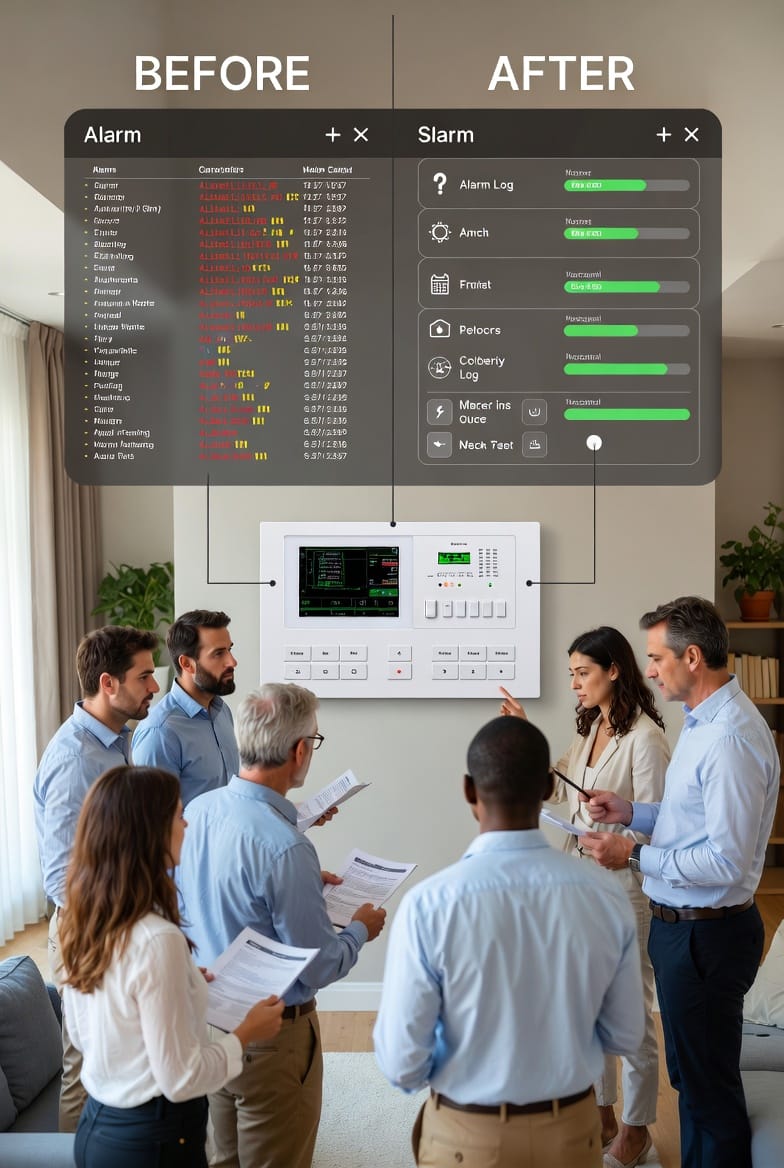
False alarms can turn a reliable home security system into a source of frustration, disrupting your daily life and potentially leading to fines from local authorities. But don't worry—with the right adjustments, you can minimize these nuisances and restore peace to your household. In this comprehensive guide, we'll explore proven strategies to reduce false alarms, including calibrating sensors, fine-tuning entry and exit delays, and maintaining clear communication with your monitoring center. Whether you're dealing with motion detectors triggered by pets or outdated contact information causing verification delays, these steps will help you achieve a more dependable setup. Let's dive in and make your system work smarter, not harder.
Make Your Security System Quiet & Reliable – Call Now
Understanding the Impact of False Alarms
False alarms aren't just annoying; they can erode trust in your home security setup and strain relationships with neighbors and emergency responders. According to industry reports, over 90% of alarm activations are false, often stemming from user error, equipment malfunctions, or environmental factors. The good news? Most issues are preventable with routine maintenance and smart configurations.
By addressing these proactively, you'll enjoy:
- Reduced stress: Fewer unexpected sirens mean a calmer home environment.
- Cost savings: Avoid unnecessary service calls or municipal fines for excessive false dispatches.
- Enhanced protection: A fine-tuned system ensures real threats are detected without the "boy who cried wolf" effect.
As a homeowner, taking control of these elements empowers you to safeguard your property effectively. Remember, a quiet alarm is often the most reliable one.
Step 1: Calibrating Your Sensors for Accuracy
Sensors are the eyes and ears of your home security system, but they need regular calibration to function optimally. Start by identifying common culprits like door/window contacts and motion detectors. Dust, misalignment, or sensitivity issues can all trigger false positives.
To calibrate effectively:
- Inspect for physical obstructions: Clear away debris, curtains, or furniture that might interfere with sensor lines of sight.
- Test sensitivity levels: Use your system's app or panel to adjust thresholds—lower for high-traffic areas, higher for isolated zones.
- Replace faulty units: If a sensor consistently malfunctions, consult a professional for upgrades to advanced models with AI-driven false alarm reduction.
This process not only cuts down on errors but also extends the lifespan of your equipment. For pet owners, ensuring pet-immune sensors are set correctly is crucial—more on that next.

Ensuring Pet-Immune Sensors Are Properly Adjusted
Pets are family, but they can wreak havoc on standard motion sensors. Pet-immune technology is designed to ignore animals under a certain weight (typically 40-80 pounds), focusing instead on human-sized intruders. However, improper setup can lead to frequent false alarms from your furry friends.
Here's how to adjust them right:
- Position sensors strategically: Mount motion detectors at least 6-7 feet high, aimed downward to avoid detecting floor-level movement.
- Fine-tune weight thresholds: Access your system's settings to match the sensor's immunity level to your pet's size—test by walking your pet through the area while monitoring for triggers.
- Combine with zoning: Create pet-friendly zones where sensors are disabled during arming, or use contact sensors on doors instead of motion ones in pet-heavy rooms.
Regular testing is key. Walk through your home with your pet to simulate real scenarios, adjusting as needed. This simple tweak can slash false alarms by up to 70%, keeping your system vigilant without the noise.
Setting Appropriate Entry and Exit Delays
Entry and exit delays give you time to arm or disarm your system without triggering an alarm—typically 30-60 seconds. Too short, and you'll rush and make mistakes; too long, and it compromises security. Customizing these based on your lifestyle is essential for reducing false alarms.
Optimize your delays with these tips:
- Assess your routine: For larger homes, extend exit delays to 45 seconds to allow time to leave without haste.
- Use smart integrations: Link your system to smart locks or geofencing apps that auto-adjust delays based on your location.
- Test in real time: Arm the system and practice entering/exiting to find the sweet spot—adjust via your control panel or mobile app.
By tailoring these settings, you'll minimize accidental triggers from family members or guests, ensuring smooth operation.
Communicating Effectively with Your Monitoring Center
Your monitoring center is the backbone of professional response, but outdated information can lead to verification failures and false dispatches. Keeping them in the loop is a straightforward yet powerful way to curb nuisances.
Build a strong communication protocol:
- Update contact details regularly: Provide current phone numbers, emails, and secondary contacts to speed up verification calls.
- Share access codes: Include gate codes, safe words, or property specifics to facilitate quick entry for responders.
- Detail household variables: Inform them about pets, frequent visitors, or scheduled maintenance to avoid misinterpreting normal activity.
Schedule annual reviews with your provider to confirm all info is accurate. This partnership turns potential false alarms into verified non-events.
Advanced Tips for Long-Term False Alarm Prevention
Beyond basics, consider integrating smart tech for even better results. AI-powered cameras can differentiate between threats and benign events, while environmental sensors detect drafts or temperature changes that might mimic intrusions.
Incorporate these pro strategies:
- Schedule routine audits: Every six months, review event logs for patterns and recalibrate as needed.
- Educate household members: Train everyone on proper arming/disarming to prevent user-induced errors.
- Upgrade to hybrid systems: Combine wired and wireless sensors for redundancy, reducing failure points.
These measures not only fix current issues but future-proof your setup against evolving challenges.
The Role of Professional Assistance
While DIY tweaks are effective, sometimes expert intervention is the best path. Certified technicians can diagnose hidden problems, like wiring issues or firmware updates, that homeowners might miss.
Benefits include:
- Comprehensive diagnostics: Using specialized tools to pinpoint and resolve sensor inaccuracies.
- Custom configurations: Tailoring delays and zones to your unique home layout.
- Ongoing support: Access to 24/7 help for any emerging concerns.
Investing in professional fine-tuning ensures your system remains a silent guardian.
Conclusion: Achieving a Reliable, Quiet System
A reliable home security system is a quiet one—one that alerts only when it truly matters. By calibrating sensors, adjusting pet-immune settings, optimizing delays, and maintaining open lines with your monitoring center, you've taken significant steps toward eliminating false alarms. These adjustments not only enhance your peace of mind but also bolster overall protection.
End Nuisance Alarms Forever – Schedule Your Fix Today